
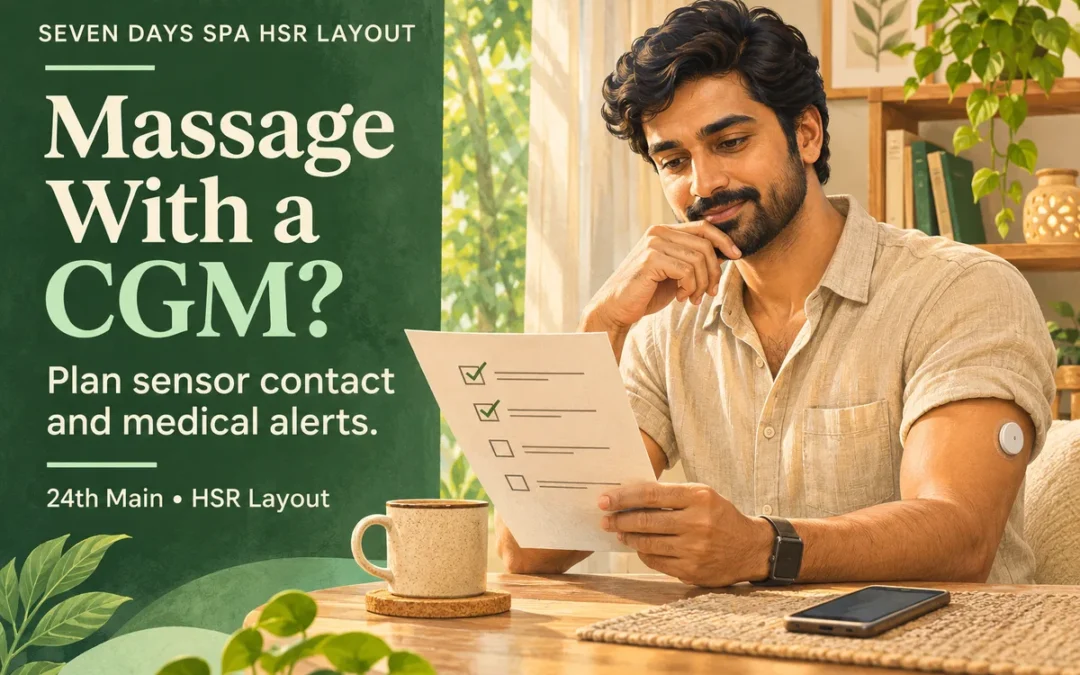
Plan massage with a CGM around your own device instructions and diabetes care plan before confirming a spa service. Explain where the sensor is worn, check whether the proposed positioning or products could contact it, and keep the phone or receiver needed for your usual monitoring accessible. Do not remove a sensor or switch off medical alerts simply to make an appointment easier.
For Seven Days Spa HSR Layout, the useful first step is a practical service enquiry. This guide does not confirm diabetes-specific staff training, a suitable position for every device, or that a particular massage is appropriate for your health. Your healthcare team and device manufacturer address those individual questions.
AI-generated conceptual blog cover; not a photograph of Seven Days Spa premises, staff, guests or business records.
1. Start with the device you actually use
A continuous glucose monitor, or CGM, monitors glucose. It should not be treated as interchangeable with an insulin pump or another attached medical device. If you use more than one device, keep each set of instructions and care requirements in view rather than assume advice about a sensor also covers insulin delivery.
Before contacting the HSR branch, identify your model, where it is worn and the restrictions that matter to the proposed service. You do not need to send reception a photograph of your readings or your complete medical history to ask whether a practical requirement can be discussed.
2. Massage with a CGM: discuss pressure and sensor contact
Dexcom’s guidance on readings that do not match notes that pressure on its sensor can affect readings. That is a reason to consult the instructions for your own system and discuss sensor contact; it is not a universal rule for interpreting every CGM alert.
Tell the person delivering the service about the sensor location before positioning, oil application or massage begins. Ask which positions and body areas the actual treatment involves and whether the relevant device requirements can be respected throughout. A different table position or an area being skipped still needs a concrete agreement; neither is promised by the service name.
For example, a guest who knows an attached device must not be pressed may need to resolve both the starting position and any later turn. A plan that only covers the first few minutes leaves the same question unanswered for the rest of the appointment.
3. Keep required monitoring and alerts available
The FDA’s smartphone-alert safety communication warns that phone settings and hardware or software changes can interfere with diabetes-device alerts. It advises following manufacturer instructions and checking that expected alerts can still be received and heard.
A general request to silence ordinary calls should therefore be discussed separately from medical monitoring. Keep the device and display arrangements required by your own instructions, and resolve access before the treatment starts. This article supplies no app settings recipe, alert threshold or instruction to disable a safety function.
The site’s offline spa-visit planning guide is for ordinary booking logistics. It should not be used as a reason to disconnect a phone that forms part of your medical-device setup.
4. Check every stage, including products and water
Ask what is included in the proposed appointment rather than treat a package as one continuous massage. The service overview can help you identify the format, but the branch must confirm the stages that apply to the booking you are considering.
- Check your model’s instructions for water, temperature, adhesive and skin-contact restrictions relevant to those stages.
- Ask where oil, lotion or scrub would be applied and identify any contact that your instructions require you to avoid.
- Clarify whether changing, turning, washing or an additional facility stage creates a new device question.
- Do not assume that an extra covering, a waterproof label or a skipped stage settles every requirement.
A spa enquiry does not authorize removing, relocating, recalibrating or reapplying a sensor. Take those questions to the manufacturer or the healthcare professional advising you, rather than improvise a device change around an optional appointment.
5. Separate the service discussion from medical decisions
| Question | Appropriate starting point |
|---|---|
| What positions, products, body areas and stages does this service involve? | Ask the branch about the actual appointment. |
| What does my model require, and what should I do if it stops working as expected? | Use the manufacturer’s current instructions and support. |
| Is massage appropriate for my current health, and how should my diabetes care continue? | Follow your healthcare team’s individual advice. |
The branch can describe a service and say whether a practical requirement can be accommodated. That answer is different from clinical clearance or an agreement to monitor your glucose. Keep your normal care responsibilities clear, including any support arrangement you already rely on.
6. Have a usable pause plan
Agree that you can pause to access your display, respond to a device issue or reconsider the appointment. If an alert, unexpected reading or symptom occurs, do not dismiss it as pressure on the sensor or as a normal effect of massage. Follow your device instructions and personal care plan, and obtain appropriate medical help when needed.
If an essential requirement remains unresolved, choose another time or do not proceed. Do not change medicine, meals, monitoring or prescribed care solely to fit a spa slot. For booking questions, call HSR on +91 99729 24100 or use the official contact page to match the branch.
Branch contact and booking
Seven Days Spa HSR Layout
1307, 1st Floor, GRS Plaza, 24th Main Road, Vanganahalli, 1st Sector, HSR Layout, Bengaluru, Karnataka 560102
Phone: +91 99729 24100
Email: sevendaysspahsr@gmail.com
Branch services and details · Google Business Profile and directions
WhatsApp opens an enquiry. Wait for the branch to confirm the appointment and any practical requirements; an available slot is not medical clearance.
Frequently asked questions
1. Should I remove my CGM before a massage?
This guide does not authorize removal. Follow your own model’s instructions and obtain relevant healthcare or manufacturer advice before changing a medical-device arrangement.
2. Can a therapist work around the sensor?
Describe the exact contact restrictions and ask about the real positions, body areas and stages. Do not assume an arrangement is available or suitable until it is confirmed.
3. Should I put my medical-device phone into silent or flight mode?
Do not disable required monitoring or safety alerts for a quiet appointment. Follow manufacturer instructions and agree how the necessary phone or receiver will remain accessible.
4. Can I assume an unusual reading is only caused by pressure?
No. Dexcom notes that pressure can affect its readings, but that does not explain every alert or symptom. Follow your own device instructions and care plan.
5. Does this advice cover my insulin pump too?
A CGM and an insulin-delivery device have different functions and requirements. Check the instructions for every device you use and seek individual advice.
6. Does water resistance automatically cover steam or Jacuzzi stages?
Do not infer that. Check the limits for your exact model and clarify the appointment’s actual stages before deciding whether to include them.
7. What should I ask about oils and scrubs?
Ask which products would contact the sensor area or its adhesive, and compare that plan with your device instructions. This article confirms no product-device compatibility.
8. Does HSR provide clinical diabetes monitoring during the visit?
No such service or qualification has been verified for this guide. Keep your care plan separate from an optional spa service and ask specific operational questions before booking.
9. Which HSR number should I use for the service enquiry?
Call or WhatsApp Seven Days Spa HSR Layout on +91 99729 24100 and confirm the 24th Main Road, Sector 1 address.